



BC Game App | Complete Mobile App Guide
What Is the BC Game App?
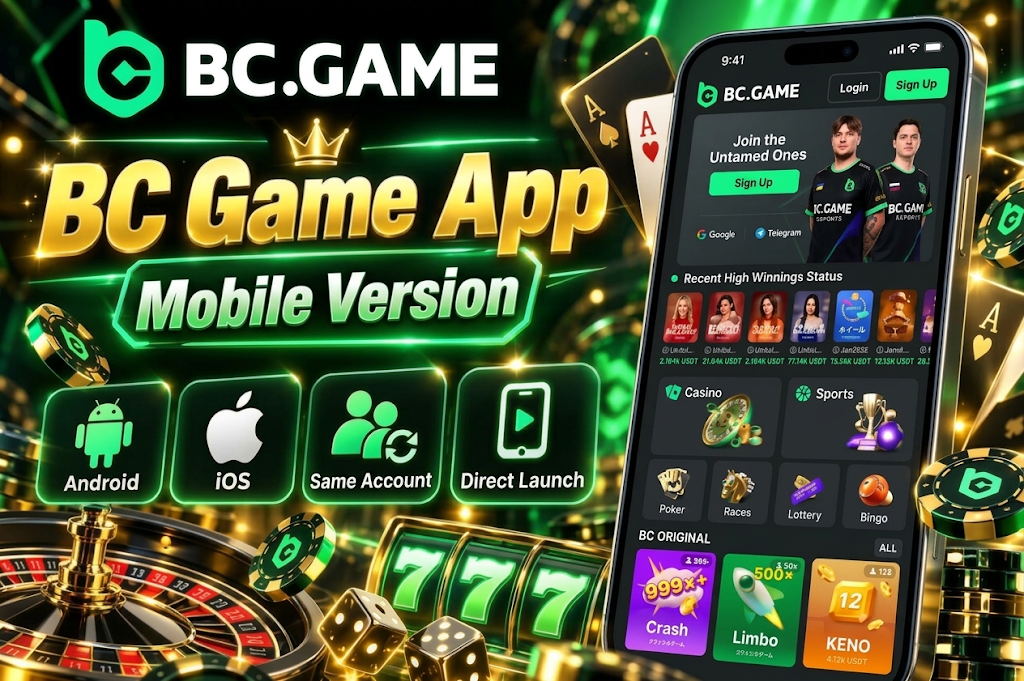
The BC Game mobile version is designed for players who want to access core services without using a PC. Menus and game lists are arranged to fit smartphone screen sizes, allowing you to navigate casino, sports, balance management, and rewards all within a single environment.
With the BC Game Japan app, the setup method differs between Android and iOS. On Android, you can install the APK directly on your device, or use a web app added to your home screen depending on your environment. On iPhone and iPad, the standard method is adding to your home screen via Safari.
The main difference from the browser version is the launch method. The regular mobile site opens in a browser, but with the app or home screen web app, you can launch directly from a dedicated icon. There is no need to create a separate account — the same login credentials, balance, VIP progress, and bonus status carry over.
Key Features of the BC Game App
The BC Game mobile app lets you access the main features available on the desktop version from a smartphone-optimized screen. It is not a simplified game-only version — it serves as a full mobile environment including deposits, withdrawals, and account management.
The main features are as follows.
- Casino. Access slots, live casino, table games, and more.
- Sports. View pre-match and live sports markets.
- Wallet. Navigate to balance checks, deposits, and withdrawals.
- Rewards. Check bonuses, VIP progress, and available perks.
- Profile. Manage registration details and account settings.
- Security. Set up protective features such as two-factor authentication.
On mobile screens, items are organized compactly, but the basic service structure is the same as the PC version. After playing a game, you can check your balance, or move from sports betting to the bonus screen — all within a single login session.
Casino Games and Live Casino
The BC Game casino app provides access to multiple categories including slots, live casino, table games, crash games, and BC Originals. The actual titles available are based on what appears in the game lobby and may vary by region or provider.
On smartphones, using category filters and game search makes it easier to find specific titles from a long list. If recently played games and favorites features are available, returning to previous titles is also simple.
In live casino, video streaming and betting operations take place on the same screen. Stable video display depends on connection quality — in environments with weak connections, screen freezes or reloads may occur.
Crash games and BC Originals are also displayed to fit mobile screens, so there is no need to switch to a PC-only page.

Sports Betting
Sports betting is also available from the mobile environment. You can check upcoming matches, live events in progress, odds, and available markets from your smartphone.
To start sports betting as part of the BC Game app usage, select a sport, open the target event, add your desired market to the bet slip, and enter the amount. Before confirming, check the match name, selection, odds, and stake.
There is no need to install separate apps for casino and sports. You can switch between casino and sports betting within the same account, and manage your balance from a single wallet.
In live betting, odds change according to match conditions. The numbers displayed a few seconds earlier may not be maintained, so it is important to base your decisions on the content at the time of confirmation.
Deposits, Withdrawals, and Wallet
In the wallet, you can check your current balance and navigate to the available deposit or withdrawal screens. Payment methods displayed for Japan-based accounts may vary depending on the situation, so check the options currently shown in your wallet rather than relying on a fixed list of payment methods.
Even if you add the BC Game app to another smartphone, your funds are not stored locally on the device. Balances and transaction history are managed on the account side, so you can check the current status by logging in to the same account.
When making deposits or withdrawals, confirm the amount, currency, destination, and network before finalizing. With cryptocurrency in particular, selecting the wrong network or incorrect destination may be irreversible.
If identity verification is required for withdrawals, follow the instructions displayed on the account screen. You never need to enter your wallet seed phrase or private key as part of identity verification or withdrawal procedures.
BC Game App for Android
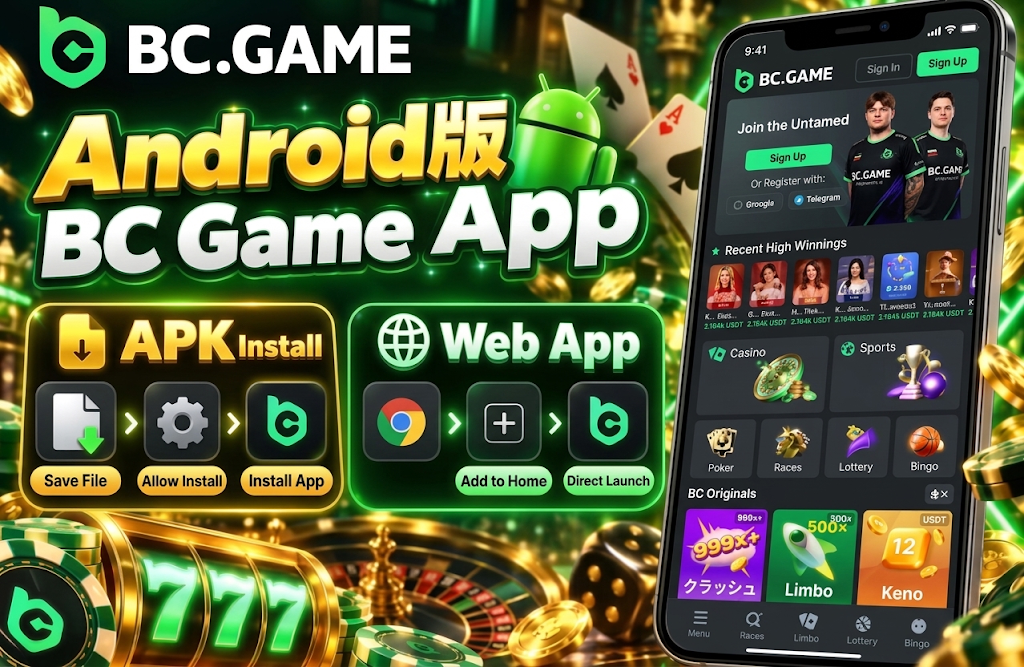
On Android, installation via APK is available. APK is a file format for installing Android apps on your device, and it is also used for apps distributed outside of Google Play.
The Android version of the BC Game mobile app offers two methods: saving and installing the APK on your device, or adding it as a web app to your home screen in supported environments. The method actually available can be confirmed by the installation options displayed at that time.
With the APK method, you save the file and then use the Android installer to complete the installation. If this is your first time opening an APK from a browser, your device may ask you to allow installation from external sources.
With the web app format, instead of saving the APK file on your device, a dedicated icon is created on your home screen. Both are intended for mobile use, but the APK installs the app itself on the device, while the web app uses browser technology.
How to Install the Android App
To install the BC Game Japan app on Android, follow these steps.
- Tap the Android download button below.
- Select APK or the installation method currently displayed.
- If using APK, save the file and open it once the download is complete.
- Only if prompted by Android, allow installation from your current browser.
- Tap “Install” and wait for the process to complete.
- Launch from the home screen or app list.
Android 8.0 or later can be considered a general guideline, but actual performance also depends on device specifications and current app requirements. For basic use, environments with around 2GB of RAM may be sufficient, but for live casino and video-heavy features, around 4GB tends to provide more stability.
After installation, there is no need to keep the external app permission enabled at all times. Once the installation is complete, revert the setting and use the device with protection features such as Google Play Protect enabled.
BC Game App for iPhone and iOS
On iPhone and iPad, Android APKs cannot be used. The standard method is to use the web app format by adding it to your home screen via Safari.
The BC Game casino app can be used on iPhone through the Safari home screen addition method. There is no need to save an APK file as on Android, and it does not work the same way as App Store apps.
Once added to the home screen, a BC Game icon is created. From then on, you can tap the icon to launch directly, making access quicker than regular browser usage.
Since it uses web technology internally, content updates are reflected from the page side. Unlike Android APKs, there is no need to save a new installation file each time.
How to Use BC Game on iPhone
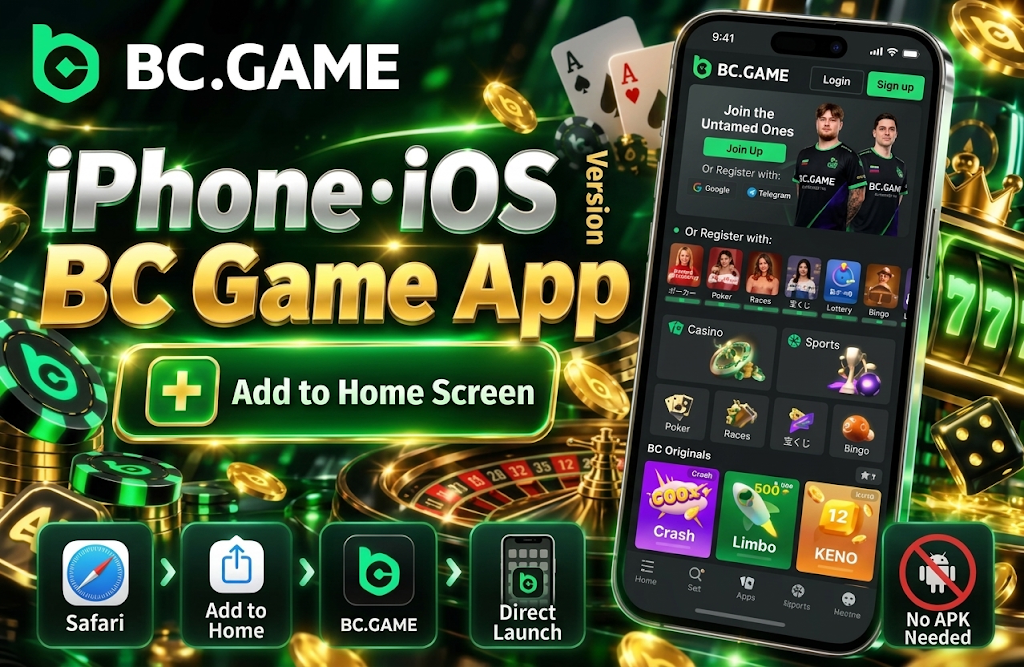
To get started with the BC Game app on iPhone, follow these steps to add it to your home screen.
- Tap the iPhone button below.
- Make sure the page is displayed in Safari.
- Tap the Share button on the screen.
- Select “Add to Home Screen.”
- Confirm the displayed name and icon, then tap “Add.”
- Launch from the icon created on your home screen.
Using Safari on iPhone and iPad is the most straightforward method. Other browsers may also be able to open the mobile site, but the home screen addition method and displayed options may differ.
iOS 15 or later can be considered a general guideline. Older OS versions may not have fully updated web features or security capabilities, so it is better to apply available system updates first for greater stability.
BC Game App Supported Devices and System Requirements
Android and iOS use different setup methods even for the same mobile usage. Android uses the APK or web app format, while iOS uses the home screen addition method via Safari.
| Item | Android | iOS |
| Supported Devices | Smartphones, Tablets | iPhone, iPad |
| OS Guideline | Android 8.0 or later | iOS / iPadOS 15 or later |
| Setup Method | APK or Web App | Add to Home Screen via Safari |
| Recommended Browser | Chrome | Safari |
| Update Method | New APK or web-side update | Web-side update |
| Memory Guideline | 2GB or more, around 4GB for better stability | Depends on device specifications |
| Storage | Free space needed for APK and cache | Free space needed for web app |
With the BC Game app, even if minimum requirements are met, performance may not be the same across all devices. Live casino video, animation-heavy slots, and live sports are affected by smartphone performance and connection quality.
On Android, considering temporary files and cache during installation, it is advisable to have around 150–200MB of free space available. The iOS web app does not have a fixed APK size, so storage usage varies depending on usage patterns and cache.
How to Log In to Your Account on the BC Game App
Once installation or home screen addition is complete, you can use your existing account authentication method as-is. There is no need to create a separate mobile-only account.
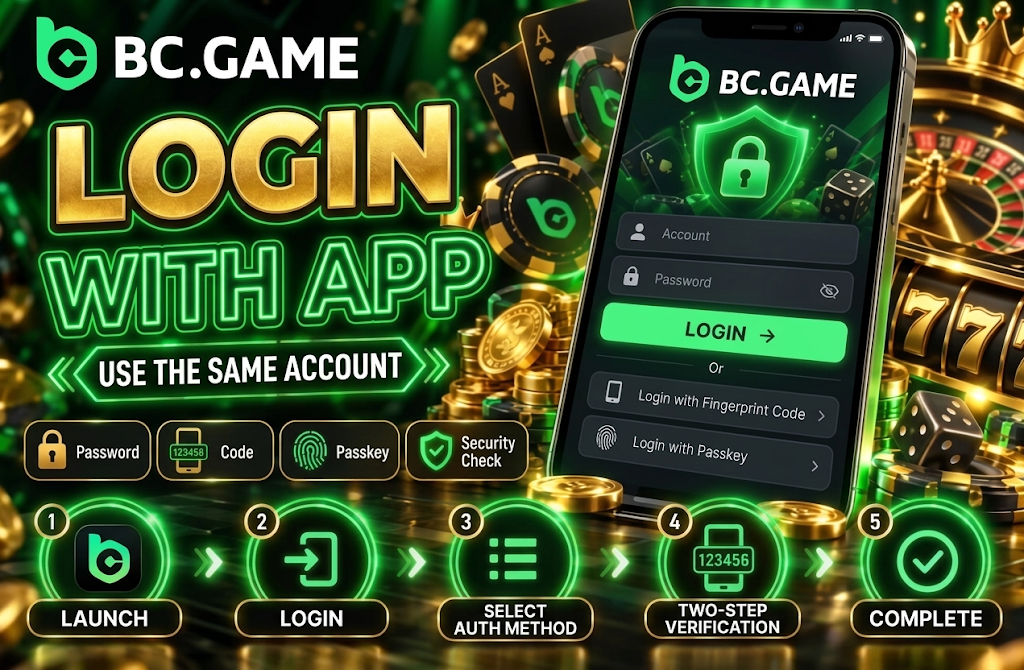
The BC Game Japan app may display authentication methods including password, one-time code, Passkey, as well as configured external services and wallets. You can use methods registered to your account such as Google, X, Telegram, and LINE.
The basic login steps are as follows.
- Launch BC Game from the home screen.
- Tap “Log In.”
- Select the authentication method used during registration.
- Enter your password, code, Passkey, or other required credentials.
- If two-factor authentication is enabled, complete the additional verification.
- After authentication is complete, proceed to the account screen.
When accessing from a new device for the first time, additional identity verification may be required. Use your password and two-factor authentication codes only on the legitimate login screen, and never send them via chat or to third parties.
Bonuses Available on the BC Game App
From the mobile version, you can also check bonuses, rewards, VIP perks, and limited-time promotions. You do not switch to a separate bonus account from the PC version — currently available perks are displayed for the same user information.
The main perks you can check on the BC Game mobile app are as follows.
- Deposit rewards. Check eligible deposit bonuses and cashback perks.
- Daily rewards. Check daily rewards available when conditions are met.
- Weekly rewards. Manage weekly rewards for eligible users.
- Monthly rewards. Check rewards available on a monthly basis.
- VIP rewards. Check level progress and VIP-exclusive rewards.
- Limited-time events. Check free spins and event-based perks.
Simply installing the app does not automatically grant all bonuses. Eligibility depends on account status, VIP level, and ongoing promotions.
When using bonuses, check not only the amount and return rate but also the claiming process, eligible games, validity period, and wagering requirements. Participating from a smartphone does not reduce the basic bonus conditions themselves.
Differences Between the BC Game App and Mobile Site
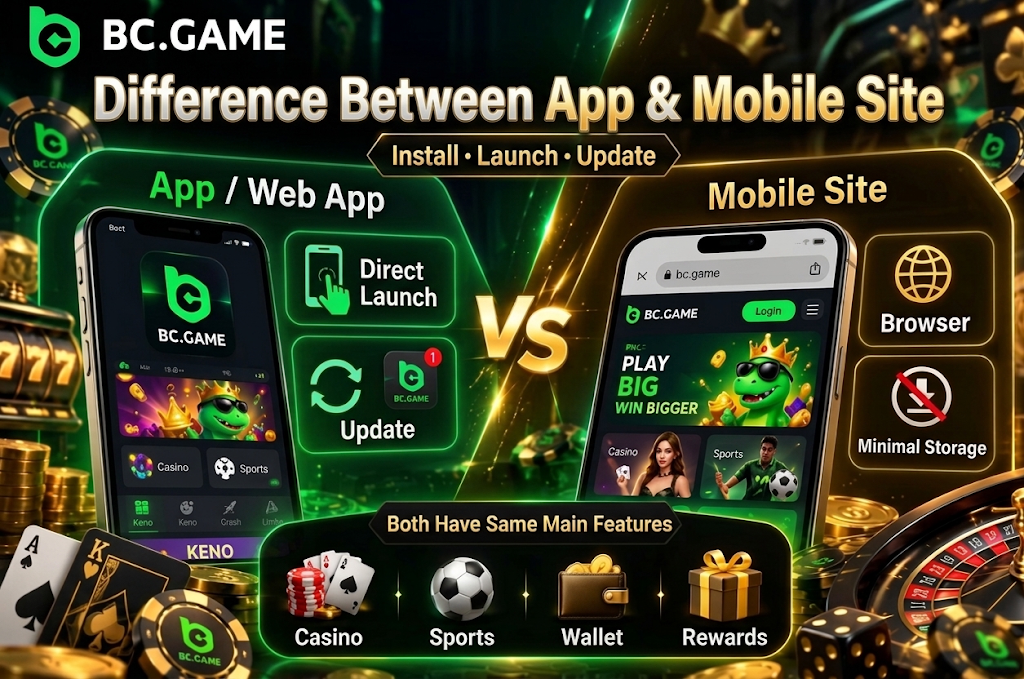
There is no major difference in the core features available between the app and mobile site. The differences are mainly in setup method, launch method, and update method.
If the BC Game casino app is installed as an Android APK, it can be launched directly from the device’s app list. A home screen web app can also create a dedicated icon. The mobile site, on the other hand, is used in the browser without being added to the device.
Core features such as games, sports betting, wallet, and rewards are accessible from both. Using the app alone does not automatically unlock exclusive games or make odds and bonus conditions more favorable.
If you want to minimize device storage usage, the mobile site is simpler. If you use it frequently and want to open it directly from the home screen, the app or web app format can shorten your access steps.
BC Game App vs Mobile Site Comparison
| Feature | BC Game App | Mobile Site |
| Casino Games | Available | Available |
| Sports Betting | Available | Available |
| Login | Available | Available |
| Deposits & Withdrawals | Accessible from Wallet | Accessible from Wallet |
| Bonuses | Rewards and promotions can be checked | Rewards and promotions can be checked |
| Installation | APK or home screen addition required | Not required |
| Launch Method | Directly from home screen or app list | Access via browser |
| Updates | APK update or web-side update | Web-side update |
When learning how to use the BC Game app, there is no need to overthink the differences from the mobile site. The basic menu structure and account features are similar, and both use the same user information.
The app is easier to launch quickly from the home screen, while the mobile site requires no installation. You can choose based on your storage capacity, usage frequency, and preferred access method.
How to Update the BC Game App
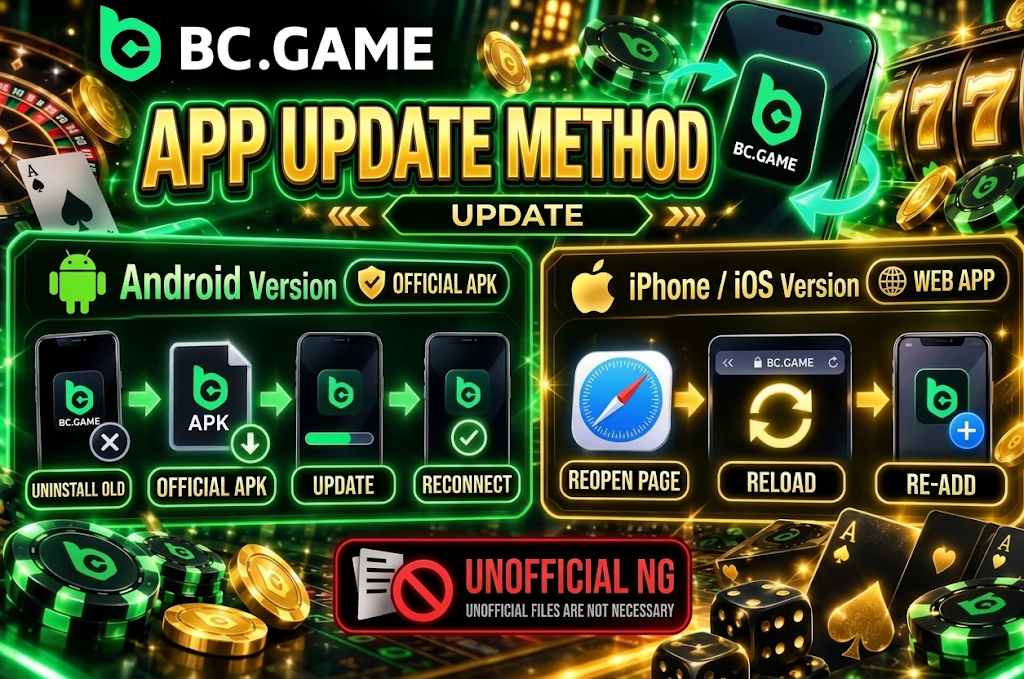
For Android APK, when a new version is needed, you obtain the updated APK. If it is possible to install the new file over the existing app, you can update without deleting your account.
When updating the Android version of the BC Game app, use the official APK currently being provided. There is no need to switch to “latest version,” “fast version,” or “lightweight version” files distributed by third parties.
For the home screen web app, changes on the web side are loaded automatically, so manual updates are usually not needed. The same applies to iPhone and iPad, where current content is reflected through Safari.
If the display or behavior is not updated, check in the following order.
- Completely close the app or web app.
- Reconnect to a stable network.
- Make sure Chrome or Safari is up to date.
- For Android, tap the update button below to check the current APK.
- For iOS, reopen the web app from the home screen.
- Only if the issue persists, redo the home screen addition.
Even if a login screen appears after an update, you do not need to register again. You can log in with the account information you previously used.
If the BC Game App Is Not Working
If the app does not open, it is more efficient to identify the cause step by step rather than reinstalling from scratch.
Common issues with the BC Game Japan app include network problems, outdated APK, insufficient storage, authentication errors, cache issues, and OS compatibility.
If the app itself launches but games do not display, the cause may be the network environment or temporary data. If only login fails, check the authentication method, one-time code, and two-factor authentication settings.
If an installation error is displayed on Android, check whether an incomplete APK or old file remains on the device. On iPhone, if the web app does not open, checking whether the same page displays correctly via Safari can help isolate the cause.
Common Issues and Solutions
If the BC Game mobile app is not functioning properly, check the following items in order.
- Connection. Switch between Wi-Fi and mobile data to check the connection status.
- Updates. Check whether the OS, browser, or Android APK is outdated.
- Storage. Check whether enough free space remains on the device.
- Restart. Close the app and restart the smartphone if necessary.
- Cache. If temporary data is suspected as the cause, clear unnecessary cache.
- Reinstall. If the issue persists, reinstall the official version.
If you cannot log in, rather than repeatedly guessing and entering passwords, check the authentication method you registered with. If using a one-time code, enter the latest code rather than an expired one.
If reinstallation is needed, proceed to the official setup method within the steps.
- Completely close the current app.
- If necessary, delete the old APK from the device.
- Tap the Android or iPhone button below.
- Select the setup method that matches your device.
- Complete the installation or home screen addition.
- Log in with your existing account.
How to Use the BC Game App Safely
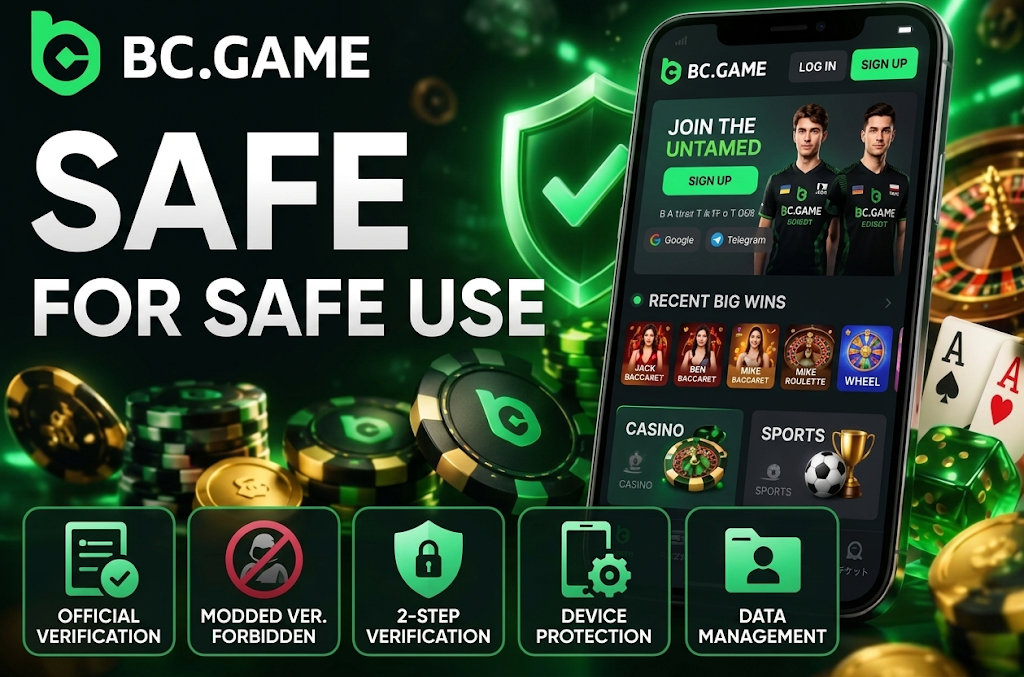
In a mobile environment, the download source and login credential management greatly affect security. Since APKs can be redistributed by third parties, it is risky to determine authenticity based solely on the same logo or similar name.
The basics for using the BC Game casino app safely are as follows.
- Official source. Do not use unofficial APK distribution pages or file-sharing services.
- Avoid modified versions. Do not use MOD APKs, cracked versions, or apps with prediction features.
- Device protection. Enable security features such as Google Play Protect.
- Two-factor authentication. Set it up as login protection if available.
- Credentials. Do not share passwords or verification codes with third parties.
- Wallet protection. Do not enter private keys or seed phrases.
Even during identity verification, you never need to submit your crypto wallet seed phrase. Do not enter it even if prompted with messages like “required for update” or “required to unlock withdrawals.”
Setting a screen lock on your smartphone itself also enhances security. Using PIN, fingerprint, or face authentication can reduce the risk of direct access to the app if your device is lost.
Frequently Asked Questions About the BC Game App
Yes. You can use a compatible mobile environment from Japan. Since the installation methods for the BC Game Japan app differ between Android and iOS, please use the method that matches your device.
Yes. On Android, you can use either the APK or an add-to-home-screen web app. When installing the APK, please use only the official version and avoid third-party file distribution pages.
Yes. On iPhone and iPad, you can use the method of adding it to your home screen via Safari. The way you use the BC Game app differs from Android, as you do not install an APK on iOS.
Yes. After logging in, you can access the currently available deposit and withdrawal features from your wallet. Please check your account details for specific payment methods and conditions.
The main differences are the installation and launch methods. The BC Game app allows you to use an APK on Android or an add-to-home-screen web app on iOS, which can be launched directly from a dedicated icon. The mobile site requires no installation, and you can access major features like games, sports, the wallet, and bonuses directly from your browser.